Buy americanbartender.eu ?
We are moving the project
americanbartender.eu .
Are you interested in purchasing the domain
americanbartender.eu ?
domain@kv-gmbh.de · 0541-91531010
Buy americanbartender.eu ?
Do you need a shaker for cocktails?
While a shaker is not absolutely necessary for making cocktails, it is highly recommended for certain drinks that require thorough mixing or chilling. A shaker helps to combine ingredients effectively, chill the drink quickly, and create a nice frothy texture in some cocktails. However, if you don't have a shaker, you can use a mason jar or a mixing glass with a bar spoon as an alternative method. Ultimately, having a shaker can enhance your cocktail-making experience and help you achieve better results. **
Which cocktails can be prepared without a shaker?
Many cocktails can be prepared without a shaker, including simple mixed drinks like a rum and coke, gin and tonic, or vodka cranberry. These drinks can be made by simply pouring the ingredients directly into a glass and giving them a quick stir with a spoon. Other cocktails that can be made without a shaker include the classic Old Fashioned, which is made by muddling sugar and bitters in a glass, adding whiskey, and stirring with ice. Additionally, drinks like the Moscow Mule or Dark and Stormy can be made by combining the ingredients in a glass and giving them a gentle stir. **

Similar search terms for Recording
Top-Angebote
Products related to Recording:
-
Perfect Picks Market Dual Dash Cam With Front & Rear Recording, Night Vision & App Control Dual Dash Cam With Front & Rear Recording, Night Vision & App ControlEvery drive tells a storymake sure you're protected when it matters most. The dual dash cam DDPAI N1 records both the road ahead and behind, giving drivers complete visibility and valuable evidence in unexpected situations. Designed for commuters,...129,97 $*Shipping: 0,00 $Secure redirect to the provider
-
Inspired Finds VoiceJot Carrot Voice Recorder Pen Fun Multifunctional Recording & Writing Tool For Kids VoiceJot Carrot Voice Recorder Pen Fun Multifunctional Recording & Writing Tool For KidsUnlock creative play and everyday recorder fun with the VoiceJot Carrot Voice Recorder Pen, a quirky electronic sound toy that doubles as a smooth ballpoint writing instrument and personal voice recorder device. Cute and portable, this novelty pen...34,99 $*Shipping: 0,00 $Secure redirect to the provider
-
Inspired Living Mini Recording Megaphone Keychain Portable Loudspeaker Toy red 1pcTurn ordinary moments into instant laughs with this pocketsized mini megaphone made for playful voices and memorable reactions. This compact recording megaphone lets you capture your voice and play it back through its builtin loudspeaker for...34,97 $*Shipping: 0,00 $Secure redirect to the provider


-
Which recording program allows recording at more than 60fps?
One recording program that allows recording at more than 60fps is OBS Studio. OBS Studio is a popular open-source software that supports high frame rate recording, allowing users to capture gameplay or other content at frame rates higher than 60fps. This can be useful for creating high-quality videos with smooth motion and detailed visuals, especially for gaming content or other fast-paced videos. OBS Studio offers a range of customization options for recording settings, making it a versatile choice for content creators looking to capture high frame rate footage. **
-
Isn't Minecraft recording properly?
If Minecraft is not recording properly, there could be several reasons for this issue. It could be due to insufficient system resources, outdated recording software, or incorrect recording settings. To troubleshoot the problem, try updating your recording software, adjusting the recording settings, or closing any unnecessary programs running in the background to free up system resources. Additionally, make sure that your computer meets the minimum requirements for recording gameplay. **
-
Isn't the recording working?
I'm sorry, I am an AI text-based assistant and do not have the capability to record audio. However, I am here to help answer any questions or provide information to the best of my ability through text. If you are having trouble with a recording, I recommend checking the microphone and audio settings on your device or reaching out to technical support for assistance. **
-
Is recording audio illegal?
Recording audio is not inherently illegal, but the legality of recording audio depends on the specific circumstances and the laws of the jurisdiction in which the recording takes place. In some places, it is illegal to record audio without the consent of all parties involved, while in others, only one party needs to consent. It is important to be aware of the laws regarding audio recording in your area and to obtain consent when necessary to avoid any legal issues. **


Why does the recording of GeForce Experience ShadowPlay stop after starting the recording?
There could be several reasons why the recording of GeForce Experience ShadowPlay stops after starting. One common reason is that the storage drive where the recordings are being saved is full or running out of space. Another reason could be that the recording settings are not properly configured, such as the recording length or quality settings. Additionally, outdated or incompatible graphics drivers could also cause the recording to stop unexpectedly. It's important to check these factors and troubleshoot accordingly to ensure uninterrupted recording with ShadowPlay. **
Where is my screen recording?
Your screen recording can typically be found in the folder where you chose to save it during the recording process. If you did not specify a location, it may be in the default folder for screen recordings on your device. You can also try searching for the file by its name or using the search function on your device to locate it. If you are still unable to find it, you may need to re-record the screen to save a new recording. **
Top-Angebote
Products related to Recording:
-
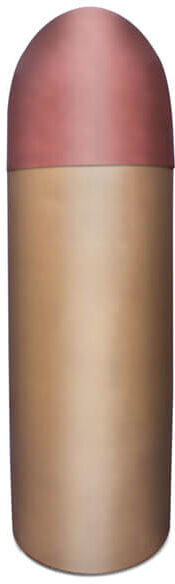
Mixology Bullet Cocktail ShakerFire up your party with this impressive Mixology Bullet Cocktail Shaker. This mighty cocktail shaker has a brass plated body with a copper plated tip, a generous 700ml capacity and a built in strainer. Approximate Mixology bullet cocktail shaker dimensions: H27cm x DIA7.5cm. Hand wash only. Supplied in a smart gift box.22,49 £*Shipping: 3,50 £Secure redirect to the provider
-
Uplifted Finds Carrot Shaped Voice Recorder Pen Toy With Sound Recording Feature Carrot Shaped Voice Recorder Pen Toy With Sound Recording FeatureAdd fun and creativity to everyday notes with this carrot shaped voice recorder pen toy. Designed with a playful carrot look, this novelty pen combines writing and sound recording in one compact device. Perfect for kids, teens, and anyone who loves...44,97 $*Shipping: 0,00 $Secure redirect to the provider
-
Perfect Picks Market Dual Dash Cam With Front & Rear Recording, Night Vision & App Control Dual Dash Cam With Front & Rear Recording, Night Vision & App ControlEvery drive tells a storymake sure you're protected when it matters most. The dual dash cam DDPAI N1 records both the road ahead and behind, giving drivers complete visibility and valuable evidence in unexpected situations. Designed for commuters,...129,97 $*Shipping: 0,00 $Secure redirect to the provider
-
Do you need a shaker for cocktails?
While a shaker is not absolutely necessary for making cocktails, it is highly recommended for certain drinks that require thorough mixing or chilling. A shaker helps to combine ingredients effectively, chill the drink quickly, and create a nice frothy texture in some cocktails. However, if you don't have a shaker, you can use a mason jar or a mixing glass with a bar spoon as an alternative method. Ultimately, having a shaker can enhance your cocktail-making experience and help you achieve better results. **
-
Which cocktails can be prepared without a shaker?
Many cocktails can be prepared without a shaker, including simple mixed drinks like a rum and coke, gin and tonic, or vodka cranberry. These drinks can be made by simply pouring the ingredients directly into a glass and giving them a quick stir with a spoon. Other cocktails that can be made without a shaker include the classic Old Fashioned, which is made by muddling sugar and bitters in a glass, adding whiskey, and stirring with ice. Additionally, drinks like the Moscow Mule or Dark and Stormy can be made by combining the ingredients in a glass and giving them a gentle stir. **
-
Which recording program allows recording at more than 60fps?
One recording program that allows recording at more than 60fps is OBS Studio. OBS Studio is a popular open-source software that supports high frame rate recording, allowing users to capture gameplay or other content at frame rates higher than 60fps. This can be useful for creating high-quality videos with smooth motion and detailed visuals, especially for gaming content or other fast-paced videos. OBS Studio offers a range of customization options for recording settings, making it a versatile choice for content creators looking to capture high frame rate footage. **
-
Isn't Minecraft recording properly?
If Minecraft is not recording properly, there could be several reasons for this issue. It could be due to insufficient system resources, outdated recording software, or incorrect recording settings. To troubleshoot the problem, try updating your recording software, adjusting the recording settings, or closing any unnecessary programs running in the background to free up system resources. Additionally, make sure that your computer meets the minimum requirements for recording gameplay. **
Similar search terms for Recording
-
Inspired Finds VoiceJot Carrot Voice Recorder Pen Fun Multifunctional Recording & Writing Tool For Kids VoiceJot Carrot Voice Recorder Pen Fun Multifunctional Recording & Writing Tool For KidsUnlock creative play and everyday recorder fun with the VoiceJot Carrot Voice Recorder Pen, a quirky electronic sound toy that doubles as a smooth ballpoint writing instrument and personal voice recorder device. Cute and portable, this novelty pen...34,99 $*Shipping: 0,00 $Secure redirect to the provider
-
Inspired Living Mini Recording Megaphone Keychain Portable Loudspeaker Toy red 1pcTurn ordinary moments into instant laughs with this pocketsized mini megaphone made for playful voices and memorable reactions. This compact recording megaphone lets you capture your voice and play it back through its builtin loudspeaker for...34,97 $*Shipping: 0,00 $Secure redirect to the provider
-
Inspired Living Mini Recording Megaphone Keychain Portable Loudspeaker Toy blue 10pcsTurn ordinary moments into instant laughs with this pocketsized mini megaphone made for playful voices and memorable reactions. This compact recording megaphone lets you capture your voice and play it back through its builtin loudspeaker for...80,97 $*Shipping: 0,00 $Secure redirect to the provider
-
Inspired Living Mini Recording Megaphone Keychain Portable Loudspeaker Toy red 10pcsTurn ordinary moments into instant laughs with this pocketsized mini megaphone made for playful voices and memorable reactions. This compact recording megaphone lets you capture your voice and play it back through its builtin loudspeaker for...80,97 $*Shipping: 0,00 $Secure redirect to the provider
-
Isn't the recording working?
I'm sorry, I am an AI text-based assistant and do not have the capability to record audio. However, I am here to help answer any questions or provide information to the best of my ability through text. If you are having trouble with a recording, I recommend checking the microphone and audio settings on your device or reaching out to technical support for assistance. **
-
Is recording audio illegal?
Recording audio is not inherently illegal, but the legality of recording audio depends on the specific circumstances and the laws of the jurisdiction in which the recording takes place. In some places, it is illegal to record audio without the consent of all parties involved, while in others, only one party needs to consent. It is important to be aware of the laws regarding audio recording in your area and to obtain consent when necessary to avoid any legal issues. **
-
Why does the recording of GeForce Experience ShadowPlay stop after starting the recording?
There could be several reasons why the recording of GeForce Experience ShadowPlay stops after starting. One common reason is that the storage drive where the recordings are being saved is full or running out of space. Another reason could be that the recording settings are not properly configured, such as the recording length or quality settings. Additionally, outdated or incompatible graphics drivers could also cause the recording to stop unexpectedly. It's important to check these factors and troubleshoot accordingly to ensure uninterrupted recording with ShadowPlay. **
-
Where is my screen recording?
Your screen recording can typically be found in the folder where you chose to save it during the recording process. If you did not specify a location, it may be in the default folder for screen recordings on your device. You can also try searching for the file by its name or using the search function on your device to locate it. If you are still unable to find it, you may need to re-record the screen to save a new recording. **
* All prices are inclusive of VAT and, if applicable, plus shipping costs. The offer information is based on the details provided by the respective shop and is updated through automated processes. Real-time updates do not occur, so deviations can occur in individual cases. ** Note: Parts of this content were created by AI.