Buy americanbartender.eu ?
We are moving the project
americanbartender.eu .
Are you interested in purchasing the domain
americanbartender.eu ?
domain@kv-gmbh.de · 0541-91531010
Buy americanbartender.eu ?
What is better: HDMI, DisplayPort, or Mini DisplayPort?
The choice between HDMI, DisplayPort, and Mini DisplayPort depends on your specific needs. HDMI is the most common and widely supported option, making it great for connecting to TVs and monitors. DisplayPort offers higher bandwidth and is better suited for high-resolution displays and multiple monitor setups. Mini DisplayPort is a smaller version of DisplayPort and is commonly found on Apple devices. Ultimately, the best option for you will depend on your specific requirements and the devices you are connecting. **
Does a DisplayPort 1.4a fit into a DisplayPort 1.4 DSC?
Yes, a DisplayPort 1.4a is compatible with a DisplayPort 1.4 DSC (Display Stream Compression). DisplayPort 1.4a is an updated version of the DisplayPort 1.4 standard, and it includes support for DSC. DSC is a visually lossless compression technology that allows for higher resolutions, refresh rates, and color depths over a DisplayPort connection. Therefore, a DisplayPort 1.4a can fit into a DisplayPort 1.4 DSC and take advantage of the compression technology for improved display performance. **
Similar search terms for DisplayPort
Top-Angebote
Products related to DisplayPort:
-
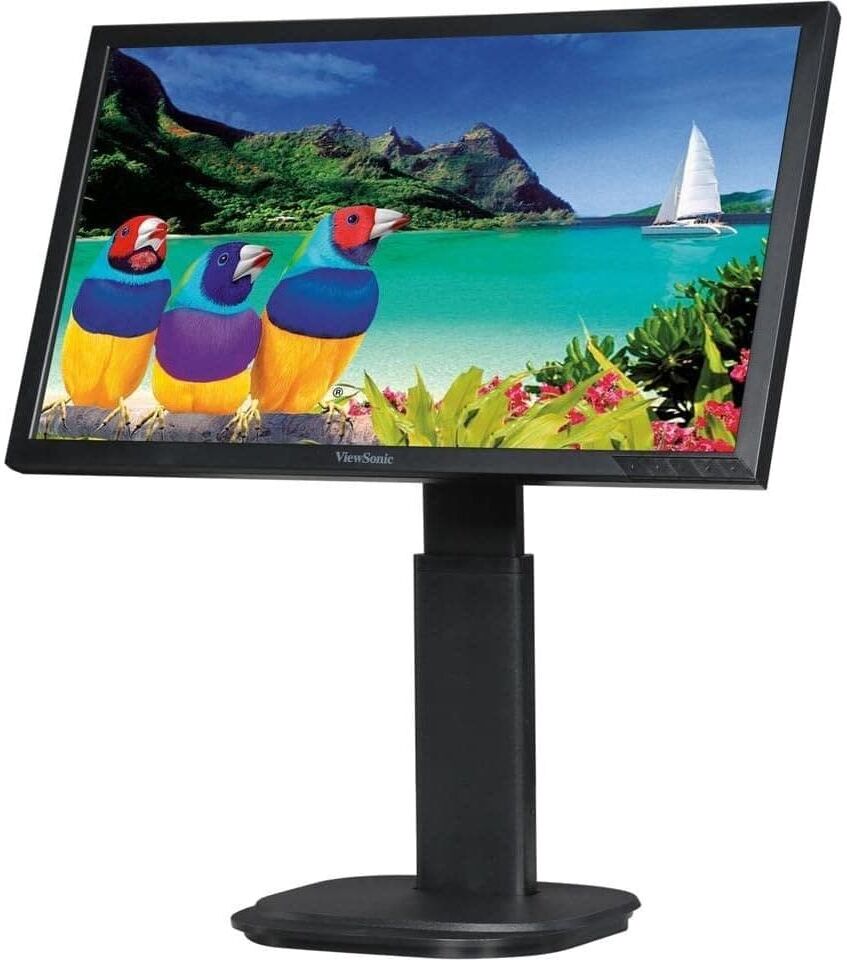
ViewSonic VG2239SMH 24-inch Full HD Ergonomic Monitor with HDMI, VGA, DisplayPort, Eye Care for Work and Study at Home, Black, NewBrand ViewSonic Product Dimensions 58.17 x 48.26 x 18.03 cm; 4.8 Kilograms Item model number VG2239SMH Manufacturer ViewSonic Series VG2239SMH Colour Black Standing screen display size 22 Inches Screen Resolution 1920x1080 Resolution 1920 x 1080 Processor Count 1 Number of HDMI Ports 1 Number of VGA Ports 1 Voltage 240 Volts Wattage 20.5 watts Are Batteries Included No Lithium Battery Weight 14 Kilograms Item Weight 4.8 kg189,99 £*Shipping: 0,00 £Secure redirect to the provider
-
HarperCollins Forager's Cocktails: Botanical Mixology With Fresh Ingredients By Samuel Glynn - Non Fiction - PaperbackTitle:. Forager’s Cocktails: Botanical Mixology With Fresh Ingredients Format: Paperback Overview:. Step into the world where wild herbs meet classic spirits with Forager’s Cocktails: Botanical Mixology With Fresh Ingredients, a masterclass in creating sophisticated drinks straight from your local landscape. Written by seasoned mixologist Samuel Glynn, this comprehensive guide bridges the gap between outdoor exploration and behind-the-bar artistry. Whether you are drawn to craft cocktails or simply enjoy experimenting with natural flavours in your evening glass, this book provides clear, step-by-step instructions for harvesting, preserving, and transforming garden-fresh and wild botanicals into memorable beverages. Each recipe is built around a seasonal framework, ensuring you always know which plants, flowers, fruits, and leaves are at their peak while delivering balanced, restaurant-quality results without relying on processed syrups or synthetic bitters. The volume does not simply offer a list of drink formulas; it teaches you how to listen to the changing seasons, understand flavour profiles, and build drinks that reflect your immediate environment. If you have ever wondered how to make elderflower cordial into a summer highball, turn freshly pickedrosemary into a smoky gin infusion, or preserve wild berries for winter sipping, this guide equips you with every technique required. It combines foundational mixology principles with practical environmental awareness, positioning itself as an essential reference table that evolves alongside your growing skills. What Makes This Book Stand Out:. What separates this title from standard cocktail manuals is its dedicated focus on botanical integrity and sustainable preparation methods. Glynn moves beyond conventional bar kits to show readers how to identify edible weeds, cultivate backyard garnishes, and extract authentic essence through dry distillation, cold infusion, and homemade shrub-making techniques. The instruction explicitly covers sourcing ethics, safe plant identification, and proper storage durations so every batch remains both vibrant and reliable. You will learn how to balance earthy green notes with bright citrus, sweet floral top notes, and deep resinous undertones using ingredients you might otherwise overlook during a woodland walk. The layout pairs each formula with precise measurement guidance and pairing suggestions for glassware and accompanying snacks, turning casual experimentation into repeatable mastery. Rather than prescribing expensive specialty products, the methodology encourages resourcefulness, reducing waste while elevating everyday spirit-forward classics through seasonal freshness. This deliberate emphasis on place-based mixology ensures that every finished glass tastes distinctly rooted in its origin, while the structured progressions guarantee consistent outcomes even for novice creators. Who This Book Is Perfect For:. This title serves home bartenders eager to move...9,99 £*Shipping: 2,99 £Secure redirect to the provider



-
Does a DisplayPort 1.4a fit in a DisplayPort 1.4 DSC?
Yes, a DisplayPort 1.4a is compatible with a DisplayPort 1.4 DSC (Display Stream Compression). DisplayPort 1.4a is an updated version of the DisplayPort 1.4 standard, which includes support for new features and improvements. DisplayPort 1.4 DSC is a feature within the DisplayPort 1.4 standard that enables visually lossless compression for higher resolutions and refresh rates. Therefore, a DisplayPort 1.4a device can utilize the DisplayPort 1.4 DSC feature for enhanced display capabilities. **
-
Do you need a shaker for cocktails?
While a shaker is not absolutely necessary for making cocktails, it is highly recommended for certain drinks that require thorough mixing or chilling. A shaker helps to combine ingredients effectively, chill the drink quickly, and create a nice frothy texture in some cocktails. However, if you don't have a shaker, you can use a mason jar or a mixing glass with a bar spoon as an alternative method. Ultimately, having a shaker can enhance your cocktail-making experience and help you achieve better results. **
-
What is the correct designation for connecting DisplayPort to Mini DisplayPort?
The correct designation for connecting DisplayPort to Mini DisplayPort is simply a DisplayPort to Mini DisplayPort cable or adapter. This allows you to connect a device with a standard DisplayPort output to a device with a Mini DisplayPort input, such as connecting a computer to a monitor or projector. It is important to ensure that the cable or adapter is compatible with the specific versions of DisplayPort and Mini DisplayPort being used. **
-
What is the correct term for connecting DisplayPort to Mini DisplayPort?
The correct term for connecting DisplayPort to Mini DisplayPort is a DisplayPort to Mini DisplayPort cable or adapter. This type of cable or adapter allows you to connect devices with a DisplayPort output to devices with a Mini DisplayPort input, enabling you to transmit audio and video signals between the two devices. It is important to ensure compatibility between the devices and the cable or adapter to ensure proper functionality. **


What is a DisplayPort?
A DisplayPort is a digital display interface primarily used to connect a video source to a display device such as a monitor, TV, or projector. It is capable of transmitting high-definition video and audio signals, supporting resolutions up to 8K. DisplayPort cables are commonly used in computers, laptops, and other electronic devices to provide a high-quality visual experience. **
Can a DisplayPort 1.2 cable be used in a DisplayPort 1.4 port?
Yes, a DisplayPort 1.2 cable can be used in a DisplayPort 1.4 port. DisplayPort cables are designed to be backward compatible, meaning that newer versions of the port can support older versions of the cable. However, using a DisplayPort 1.2 cable in a DisplayPort 1.4 port may limit the capabilities to those of the older version. To fully utilize the features of a DisplayPort 1.4 port, it is recommended to use a DisplayPort 1.4 cable. **
Top-Angebote
Products related to DisplayPort:
-
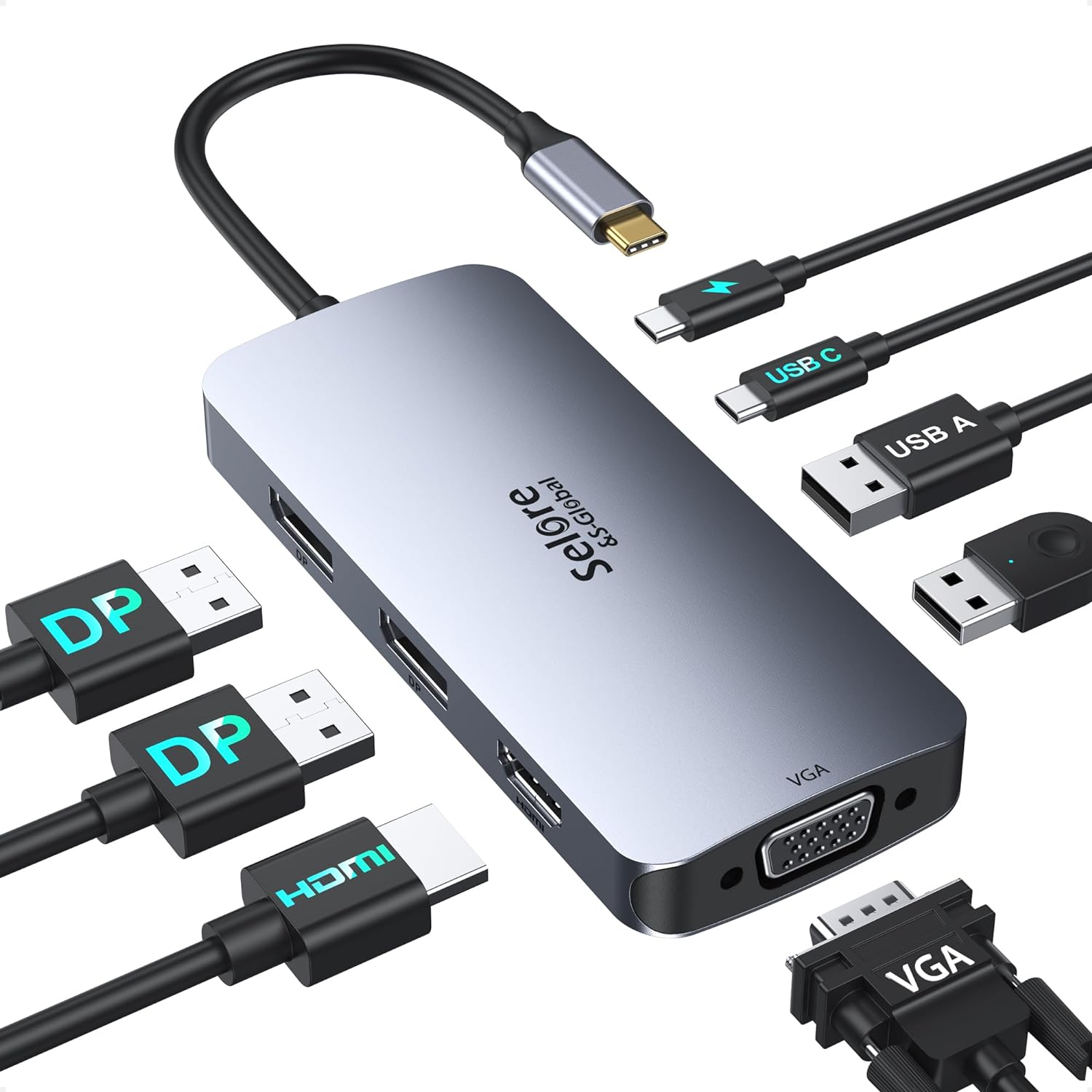
Selore USB C Docking Station Dual Displayport Monitor, USB C Hub Displayport with 2 DP, HDMI, VGA, PD Charging, USB A&C; 2.0 Ports Multi Monitors Adapter for Dell/HP/Lenovo, etc, Used - GoodBrand Selore&S-Global; Colour Dual DP+HDMI+VGA Hardware interface DisplayPort Special feature Fast Data Transfer Compatible devices MacBook Pro 1111, iPad Pro, Microsoft Surface Book 【Enhanced Display Connectivity】Embrace versatile display options with 2 DisplayPort, 1 HDMI, and 1 VGA port on the Selore Docking Station. This USB C docking station dual monitor caters to different display types, making it easy to connect to various monitors and adapt to your needs. (❤️Note: On macOS systems, external monitors will show the same content in mirror or extended mode.) 【Rapid and Robust Charging】Experience fast and powerful charging with the 100W USB-C PD charging port on this USB C docking station 3 monitors. This pass-through charging ensures your laptop stays fully charged and ready to tackle any task. 【Smooth Data Transfers】 Experience swift data transfers with the USB-C 2.0 and dual USB-A 2.0 ports on this usb c hub dual displayport. Transfer files, access external storage, and connect peripherals effortlessly, streamlining your workflow with ease. 【Wide Compatibility】Before purchasing the laptop docking station dual monitor, ensure your laptop has Thunderbolt or full-function USB-C ports. If you're uncertain about compatibility, share your laptop model with us, and we'll verify it for you. ❤️Please note that macOS does not currently support MST mode. Unlock the full potential of your Windows experience with this multi monitor dual DisplayPort adapter.29,99 £*Shipping: 0,00 £Secure redirect to the provider
-
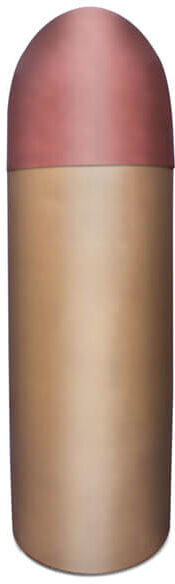
Mixology Bullet Cocktail ShakerFire up your party with this impressive Mixology Bullet Cocktail Shaker. This mighty cocktail shaker has a brass plated body with a copper plated tip, a generous 700ml capacity and a built in strainer. Approximate Mixology bullet cocktail shaker dimensions: H27cm x DIA7.5cm. Hand wash only. Supplied in a smart gift box.22,49 £*Shipping: 3,50 £Secure redirect to the provider
-
What is better: HDMI, DisplayPort, or Mini DisplayPort?
The choice between HDMI, DisplayPort, and Mini DisplayPort depends on your specific needs. HDMI is the most common and widely supported option, making it great for connecting to TVs and monitors. DisplayPort offers higher bandwidth and is better suited for high-resolution displays and multiple monitor setups. Mini DisplayPort is a smaller version of DisplayPort and is commonly found on Apple devices. Ultimately, the best option for you will depend on your specific requirements and the devices you are connecting. **
-
Does a DisplayPort 1.4a fit into a DisplayPort 1.4 DSC?
Yes, a DisplayPort 1.4a is compatible with a DisplayPort 1.4 DSC (Display Stream Compression). DisplayPort 1.4a is an updated version of the DisplayPort 1.4 standard, and it includes support for DSC. DSC is a visually lossless compression technology that allows for higher resolutions, refresh rates, and color depths over a DisplayPort connection. Therefore, a DisplayPort 1.4a can fit into a DisplayPort 1.4 DSC and take advantage of the compression technology for improved display performance. **
-
Does a DisplayPort 1.4a fit in a DisplayPort 1.4 DSC?
Yes, a DisplayPort 1.4a is compatible with a DisplayPort 1.4 DSC (Display Stream Compression). DisplayPort 1.4a is an updated version of the DisplayPort 1.4 standard, which includes support for new features and improvements. DisplayPort 1.4 DSC is a feature within the DisplayPort 1.4 standard that enables visually lossless compression for higher resolutions and refresh rates. Therefore, a DisplayPort 1.4a device can utilize the DisplayPort 1.4 DSC feature for enhanced display capabilities. **
-
Do you need a shaker for cocktails?
While a shaker is not absolutely necessary for making cocktails, it is highly recommended for certain drinks that require thorough mixing or chilling. A shaker helps to combine ingredients effectively, chill the drink quickly, and create a nice frothy texture in some cocktails. However, if you don't have a shaker, you can use a mason jar or a mixing glass with a bar spoon as an alternative method. Ultimately, having a shaker can enhance your cocktail-making experience and help you achieve better results. **
Similar search terms for DisplayPort
-
ViewSonic VG2239SMH 24-inch Full HD Ergonomic Monitor with HDMI, VGA, DisplayPort, Eye Care for Work and Study at Home, Black, NewBrand ViewSonic Product Dimensions 58.17 x 48.26 x 18.03 cm; 4.8 Kilograms Item model number VG2239SMH Manufacturer ViewSonic Series VG2239SMH Colour Black Standing screen display size 22 Inches Screen Resolution 1920x1080 Resolution 1920 x 1080 Processor Count 1 Number of HDMI Ports 1 Number of VGA Ports 1 Voltage 240 Volts Wattage 20.5 watts Are Batteries Included No Lithium Battery Weight 14 Kilograms Item Weight 4.8 kg189,99 £*Shipping: 0,00 £Secure redirect to the provider
-
HarperCollins Forager's Cocktails: Botanical Mixology With Fresh Ingredients By Samuel Glynn - Non Fiction - PaperbackTitle:. Forager’s Cocktails: Botanical Mixology With Fresh Ingredients Format: Paperback Overview:. Step into the world where wild herbs meet classic spirits with Forager’s Cocktails: Botanical Mixology With Fresh Ingredients, a masterclass in creating sophisticated drinks straight from your local landscape. Written by seasoned mixologist Samuel Glynn, this comprehensive guide bridges the gap between outdoor exploration and behind-the-bar artistry. Whether you are drawn to craft cocktails or simply enjoy experimenting with natural flavours in your evening glass, this book provides clear, step-by-step instructions for harvesting, preserving, and transforming garden-fresh and wild botanicals into memorable beverages. Each recipe is built around a seasonal framework, ensuring you always know which plants, flowers, fruits, and leaves are at their peak while delivering balanced, restaurant-quality results without relying on processed syrups or synthetic bitters. The volume does not simply offer a list of drink formulas; it teaches you how to listen to the changing seasons, understand flavour profiles, and build drinks that reflect your immediate environment. If you have ever wondered how to make elderflower cordial into a summer highball, turn freshly pickedrosemary into a smoky gin infusion, or preserve wild berries for winter sipping, this guide equips you with every technique required. It combines foundational mixology principles with practical environmental awareness, positioning itself as an essential reference table that evolves alongside your growing skills. What Makes This Book Stand Out:. What separates this title from standard cocktail manuals is its dedicated focus on botanical integrity and sustainable preparation methods. Glynn moves beyond conventional bar kits to show readers how to identify edible weeds, cultivate backyard garnishes, and extract authentic essence through dry distillation, cold infusion, and homemade shrub-making techniques. The instruction explicitly covers sourcing ethics, safe plant identification, and proper storage durations so every batch remains both vibrant and reliable. You will learn how to balance earthy green notes with bright citrus, sweet floral top notes, and deep resinous undertones using ingredients you might otherwise overlook during a woodland walk. The layout pairs each formula with precise measurement guidance and pairing suggestions for glassware and accompanying snacks, turning casual experimentation into repeatable mastery. Rather than prescribing expensive specialty products, the methodology encourages resourcefulness, reducing waste while elevating everyday spirit-forward classics through seasonal freshness. This deliberate emphasis on place-based mixology ensures that every finished glass tastes distinctly rooted in its origin, while the structured progressions guarantee consistent outcomes even for novice creators. Who This Book Is Perfect For:. This title serves home bartenders eager to move...9,99 £*Shipping: 2,99 £Secure redirect to the provider
-
Ryland Peters & Small The Curious Bartender 4 Book Collection by Tristan Stephenson - Gin, Rum, Cocktails & Home Bartending - Hardback Set - Adult Non FictionThe Curious Bartender 4 Book Collection brings together four best-selling hardback titles from award-winning bartender and drinks writer Tristan Stephenson. This set covers gin, rum, home cocktail-making, and the story of the modern cocktail itself. The books pair deep spirits knowledge with genuinely usable technique, making them a rich resource for home bartenders, hospitality students, and anyone interested in the history and craft behind a well-made drink. The collection includes The Curious Bartender's Gin Palace, Rum Revolution, Cocktails At Home, and The Curious Bartender. It's a satisfying, gift-ready boxed collection for the cocktail enthusiast.38,99 £*Shipping: 0,00 £Secure redirect to the provider
-
AOC AGON Pro PD34, 34-Inch WQHD OLED Gaming Monitor - 240Hz, 0.03ms, FreeSync Premium Pro, G-Sync Compatible, HDR400, 3440x1440, HDMI 2.1, DisplayPort, USB-C, 90W PD, USB Hub, Black, NewOverview: The AOC AGON Pro PD34 is a 34-inch WQHD OLED gaming monitor designed to deliver stunning visuals, ultra-fast performance, and immersive gameplay. With a 240Hz refresh rate, 0.03ms response time, and support for both FreeSync Premium Pro and G-Sync compatibility, this monitor provides smooth, tear-free gaming. Its OLED panel offers vibrant colours and deep blacks, while HDR400 enhances the dynamic range for more lifelike visuals. The 3440x1440 resolution gives you wide-screen clarity, and with multiple connectivity options, including HDMI 2.1, DisplayPort, and USB-C, the PD34 is built for high-end gaming setups. Key Features: 34-Inch WQHD OLED Display : Enjoy stunning, high-quality visuals with the 34-inch OLED panel, delivering vibrant colours, perfect blacks, and an exceptional contrast ratio for immersive gaming. 240Hz Refresh Rate : Achieve ultra-smooth gameplay with the 240Hz refresh rate, ensuring that even the fastest-moving objects appear fluid without motion blur. 0.03ms Response Time : With a 0.03ms response time, the monitor ensures near-instantaneous pixel response for a seamless, lag-free experience during high-speed gaming. FreeSync Premium Pro & G-Sync Compatible : With support for FreeSync Premium Pro and G-Sync compatibility, the monitor reduces screen tearing and stuttering, providing tear-free, smooth gameplay. HDR400 : HDR400 support enhances your gaming experience by delivering a wider dynamic range, brighter highlights, and darker blacks, making games and media appear more realistic and immersive. 3440x1440 WQHD Resolution : The 3440x1440 resolution provides a detailed and sharp image, offering a wide panoramic view that’s perfect for gaming, multitasking, and watching movies. Multiple Connectivity Options : Equipped with 2x HDMI 2.1 ports, DisplayPort, and USB-C, this monitor offers high-speed connections for next-gen gaming consoles, PCs, and other devices. 90W Power Delivery (PD) : The USB-C port provides up to 90W Power Delivery, allowing you to charge your laptop or mobile devices while using the monitor, simplifying your desk setup. USB Hub : The built-in USB Hub allows you to easily connect peripherals like your keyboard, mouse, and other devices directly to the monitor. Sleek Design : The black finish and modern design of the monitor make it an elegant addition to any gaming or work setup. Product Description: The AOC AGON Pro PD34 is a premium 34-inch WQHD OLED gaming monitor designed to deliver top-tier performance and eye-catching visuals. With its 240Hz refresh rate, 0.03ms response time, and HDR400 support, it offers an incredibly smooth and vibrant experience for gamers and professionals alike. Whether you're playing high-speed action games or working with intricate details, the 3440x1440 resolution and OLED display ensure exceptional image clarity. With advanced FreeSync Premium Pro and G-Sync compatibility, this monitor is built for a seamless, tear-free experience. The USB-C port with 90W PD and...999,00 £*Shipping: 0,00 £Secure redirect to the provider
-
What is the correct designation for connecting DisplayPort to Mini DisplayPort?
The correct designation for connecting DisplayPort to Mini DisplayPort is simply a DisplayPort to Mini DisplayPort cable or adapter. This allows you to connect a device with a standard DisplayPort output to a device with a Mini DisplayPort input, such as connecting a computer to a monitor or projector. It is important to ensure that the cable or adapter is compatible with the specific versions of DisplayPort and Mini DisplayPort being used. **
-
What is the correct term for connecting DisplayPort to Mini DisplayPort?
The correct term for connecting DisplayPort to Mini DisplayPort is a DisplayPort to Mini DisplayPort cable or adapter. This type of cable or adapter allows you to connect devices with a DisplayPort output to devices with a Mini DisplayPort input, enabling you to transmit audio and video signals between the two devices. It is important to ensure compatibility between the devices and the cable or adapter to ensure proper functionality. **
-
What is a DisplayPort?
A DisplayPort is a digital display interface primarily used to connect a video source to a display device such as a monitor, TV, or projector. It is capable of transmitting high-definition video and audio signals, supporting resolutions up to 8K. DisplayPort cables are commonly used in computers, laptops, and other electronic devices to provide a high-quality visual experience. **
-
Can a DisplayPort 1.2 cable be used in a DisplayPort 1.4 port?
Yes, a DisplayPort 1.2 cable can be used in a DisplayPort 1.4 port. DisplayPort cables are designed to be backward compatible, meaning that newer versions of the port can support older versions of the cable. However, using a DisplayPort 1.2 cable in a DisplayPort 1.4 port may limit the capabilities to those of the older version. To fully utilize the features of a DisplayPort 1.4 port, it is recommended to use a DisplayPort 1.4 cable. **
* All prices are inclusive of VAT and, if applicable, plus shipping costs. The offer information is based on the details provided by the respective shop and is updated through automated processes. Real-time updates do not occur, so deviations can occur in individual cases. ** Note: Parts of this content were created by AI.